> For the complete documentation index, see [llms.txt](https://docs.autonomi.com/llms.txt). Markdown versions of documentation pages are available by appending `.md` to page URLs; this page is available as [Markdown](https://docs.autonomi.com/token/using-autonomi-tokens/holding/import-the-autonomi-token.md).
# Import the Autonomi Token
Once you have [added and enabled the Arbitrum Network](/token/using-autonomi-tokens/holding/add-arbitrum-network.md) you'll need to import the Autonomi Network Token contract into your wallet so you can see any tokens you receive.
## Token contract address
```
0xa78d8321B20c4Ef90eCd72f2588AA985A4BDb684
```
Most wallets will populate any remaining fields after you enter the contract address.
## Importing the token in MetaMask
Here's an example of how the process works in MetaMask. The screens may look slightly different depending on the version of MetaMask you are using, but it's the same process.
{% stepper %}
{% step %}
**Make sure you are on the Arbitrum Network**
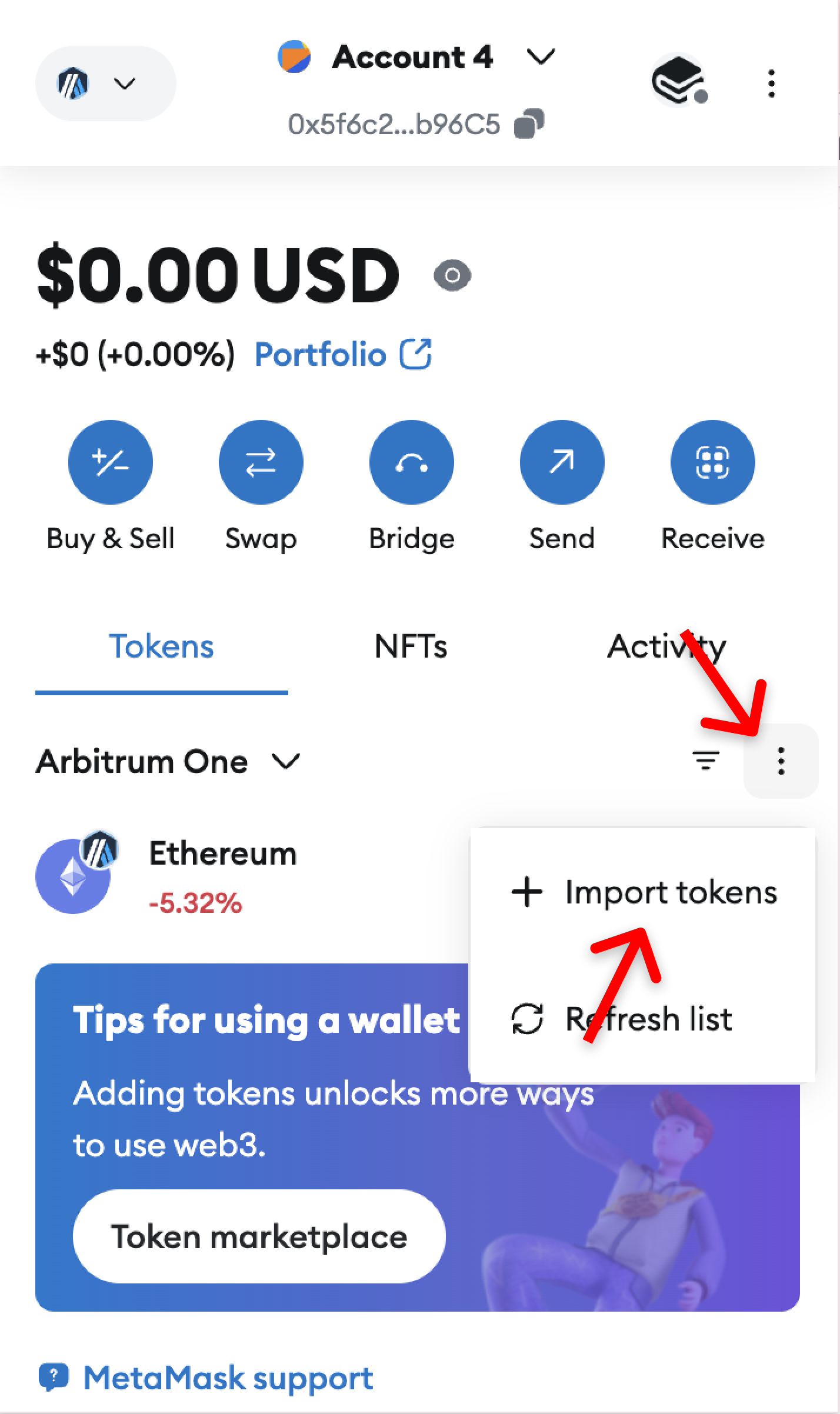
You can use the dropdown top left to **select Arbitrum One**
{% endstep %}
{% step %}
**Click the small dots menu**, then **Import Token**
{% endstep %}
{% step %}
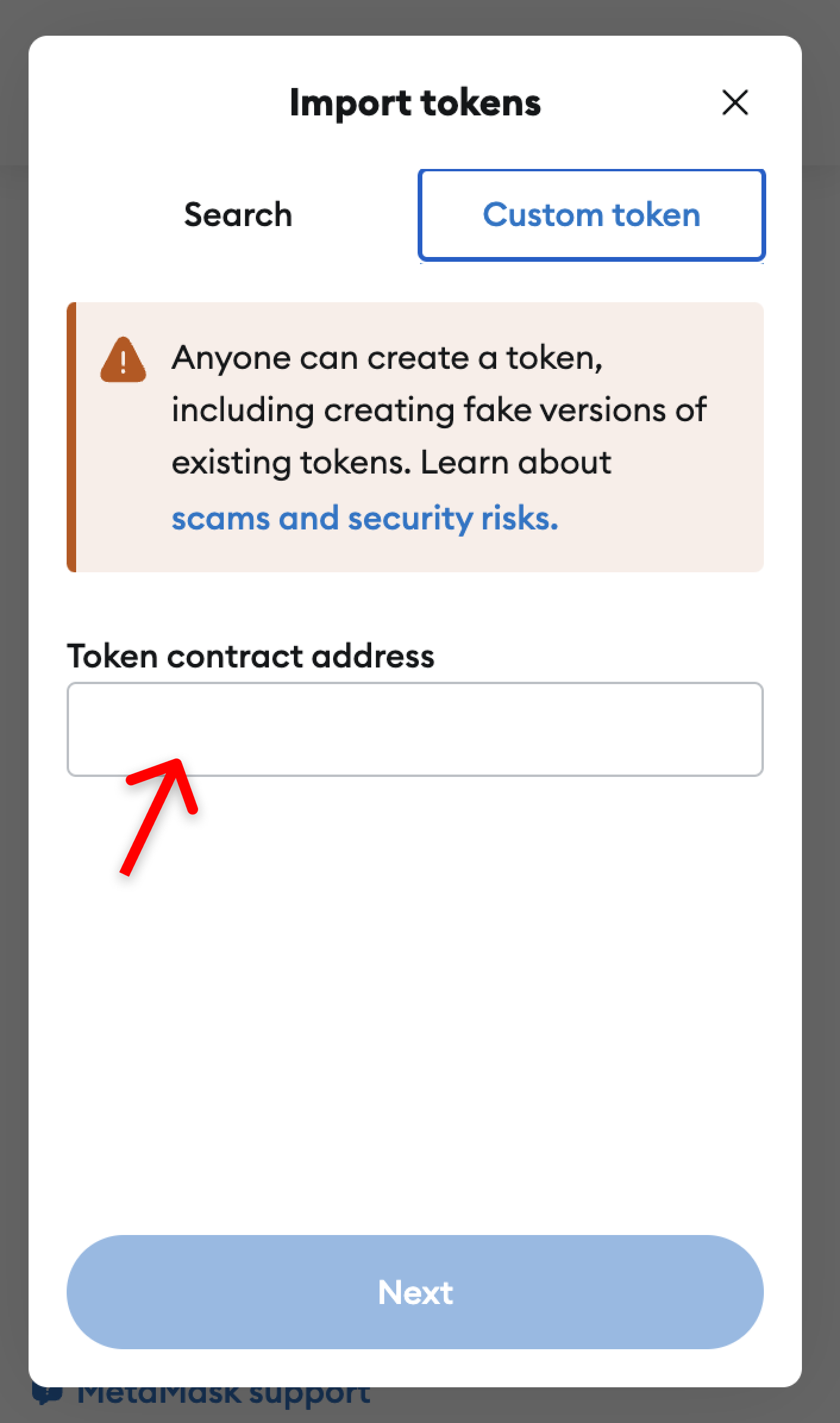
Select the **Custom Token Tab**
{% endstep %}
{% step %}
Paste in the following **Token contract address** in the text box
```
0xa78d8321B20c4Ef90eCd72f2588AA985A4BDb684
```
{% endstep %}
{% step %}
**Click Next** then **Import**
{% endstep %}
{% endstepper %}
You'll now be able to see your Autonomi Network Tokens in your wallet!